PluralEyes alternative: how to sync multicam in 2026
For years, PluralEyes was the answer to one simple question: how do you line up eight hours of footage from different cameras without losing your mind. Then it was taken off the market. If you are looking for a replacement, here is the short answer. CamHeard syncs every camera to your recorder by sound, straight from your footage folders. It needs no XML from your editor, unlike Syncaila. It takes a whole shooting day in one pass, which the built-in sync in Premiere, Resolve and Final Cut struggles with, and it marks the clips it could not confirm, so you know exactly what to check. It is actively developed, and you can buy it once or subscribe. The long answer, with every option including the free ones, is below.
What happened to PluralEyes
On January 31, 2023, Maxon (the owner of Red Giant) officially moved PluralEyes into “limited maintenance mode”: no new features, with tech support and critical fixes running for one more year, until early 2024. You can't buy it anymore: the PluralEyes product page is simply gone from Maxon's site, and support hands out installers of the old version only to holders of a valid serial. Old copies still run for many people, but Maxon says it plainly: it will not be updated for newer editors and systems, so with every macOS or Premiere update it becomes more of a lottery.
We spent years syncing our own shoots in PluralEyes, so we'll say it honestly and with love: even in its best days, on a complex shoot it would leave us a solid chunk of the material to align by hand, late into the night. Legendary doesn't mean infallible. CamHeard was born out of exactly that frustration, and it marks whatever it could not confirm, so you know what to check.
Maxon's reasoning was that syncing is now built into every major video editor. That's only half true, which is exactly why you're reading this page.
The replacement options: honestly, one by one
The built-in sync in your editor (free). Premiere, Resolve and Final Cut really can sync by audio, and on a short project with a handful of clips that's enough, so start there. But on a long shoot the limits show up: Premiere merges one batch at a time and won't hold a full shooting day; Apple's own documentation warns openly that some recordings are “not suited” for audio sync and that processing can lock the app for a long time; Resolve, on tricky material, silently piles clips into “no match”, with no explanation of what to do with them.
Syncaila. The best-known living alternative. Its workflow runs through your editor: export an XML or AAF from the NLE → import it into Syncaila → sync → export it back into the editor. There are noticeably more steps and settings on that road than you want after a shooting day. The full unlimited license is $249 +tax; $125 +tax buys a version limited to 3 tracks.
CamHeard. Our app, and it has one philosophy: one button, and the whole shooting day is done. Drop your footage → Sync → Export. No settings wizards, no timecode, no clapper. Fully offline: the footage never leaves your computer. The finished timeline opens in Premiere, Resolve or Final Cut. A one-time $249 licence or $15 a month, and projects up to 20 clips keep working without one. And we're going further: we're building a Premiere Pro plugin to sync without leaving the editor at all, with plugins for the other NLEs to follow.
The comparison, no varnish
| CamHeard | Syncaila | Built-in NLE sync | PluralEyes | |
|---|---|---|---|---|
| Status | in active development | in active development | part of the editor | discontinued (2023) |
| Platform | macOS + Windows | Windows + macOS | inside your NLE | macOS + Windows |
| Price | $249 once or $15/mo, all clips, all tracks | $249 +tax (full) · $125 +tax (3 tracks only) | included in the NLE | no longer sold |
| Free tier | 14 days of the full app, then projects up to 20 clips | 20 clips on 2 tracks | yes | no longer sold |
| Workflow | one button: drop files → Sync → Export | via XML/AAF: editor → Syncaila → editor | manual steps in the editor | Drop → Sync, no updates |
| No timecode or clapper needed | yes | yes | yes, with caveats | yes |
| Fully offline | yes | after activation (the trial and the SEASON licence need internet) | yes | yes |
| Export | Premiere · Resolve · Final Cut | Premiere · Resolve · Final Cut and more | — | Premiere · Resolve · FCP |
| A full shooting day at once | yes | yes | limited | yes |
| Plugin inside the editor | Premiere: in development, other NLEs next | — | — | existed for Premiere |
Verified on real shoots, not on demos
We shoot and edit ourselves, so CamHeard's number-one requirement from day one has been that you can trust the result without re-checking it by hand.
Shoot 1: an event on 8 cameras + a recorder. 215 clips, 8.9 hours of footage. Sync time on version 0.4.35: about a minute.
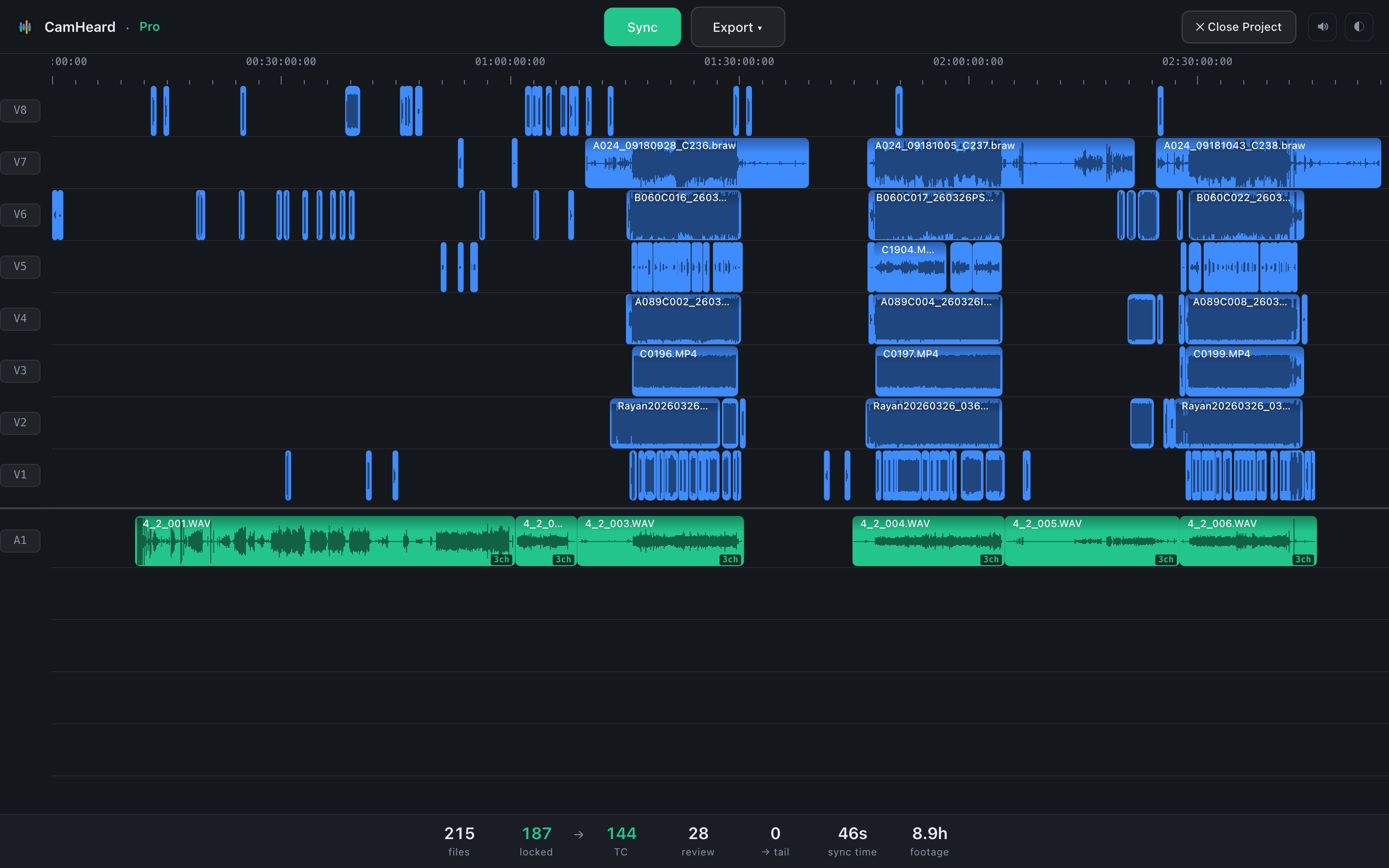
215 clips · 8 cameras · 8.9 h
Shoot 2: an on-location live event, 3 cameras + 3 recorders (GoPro, lavaliers, Zoom). 241 clips, 17.3 hours. Sync time on version 0.4.35: about a minute.
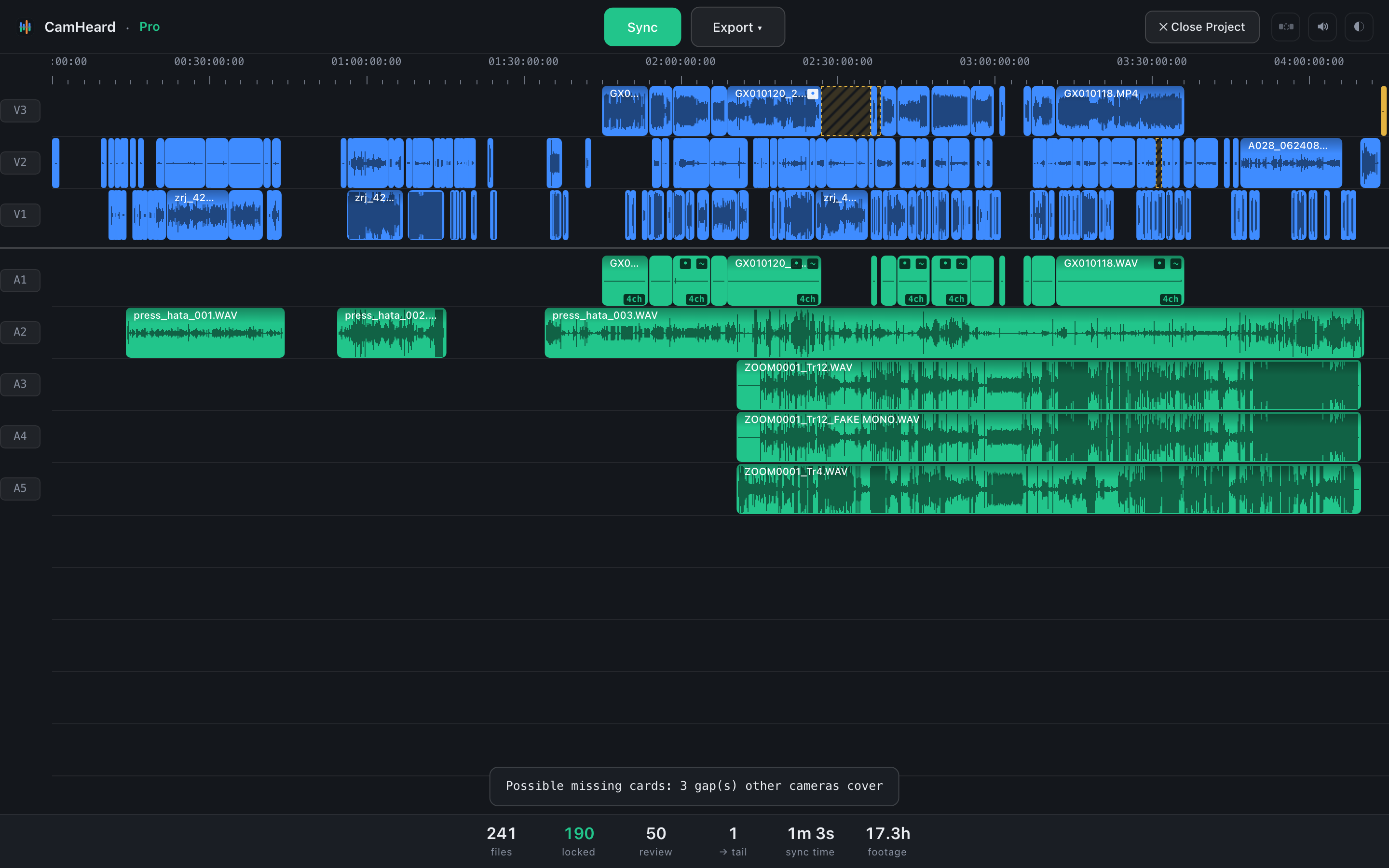
241 clips · 3 cameras + 3 recorders · 17.3 h
Look at the review number in the status bar: those are the clips the engine could not confirm, and the review filter shows them on the timeline, so you know exactly what to check. Before every release, each build is run on our own shoots and compared with the previous result, including clips we checked by ear.
Switching from PluralEyes? It will all feel familiar
The workflow is the same, only shorter: drop all your footage into the window → Sync → Export → open the finished timeline in your editor. No preparing the material, no timecode gear, no accounts. Mixed cameras, mixed frame rates, takes of any length, just as they are.
Frequently asked questions
- Can I try it for free?
- Yes, 14 days of the full app, and nobody asks for a card. After that CamHeard is a paid app, $249 once or $15 a month, and projects up to 20 clips keep working without a licence.
- Do I need timecode or a clapper?
- No. It's enough that all the cameras and the recorder captured the same sound, even in a reverberant venue and on different microphones.
- How many cameras can it handle?
- As many as you shot. On real shoots we test setups from a single camera with a voice recorder to eight cameras with several recorders, and full multi-hour shooting days.
- What if I'm on Windows?
- It runs on Windows 10 and 11 (64-bit): the same engine and the same exports as on macOS.
- Does my footage get uploaded anywhere?
- No. Everything happens on your computer, offline. No clouds, queues or accounts, so it's safe even for footage under NDA.
Try it on your own shoot: that's the most honest test.
Download CamHeard free