What CamHeard is
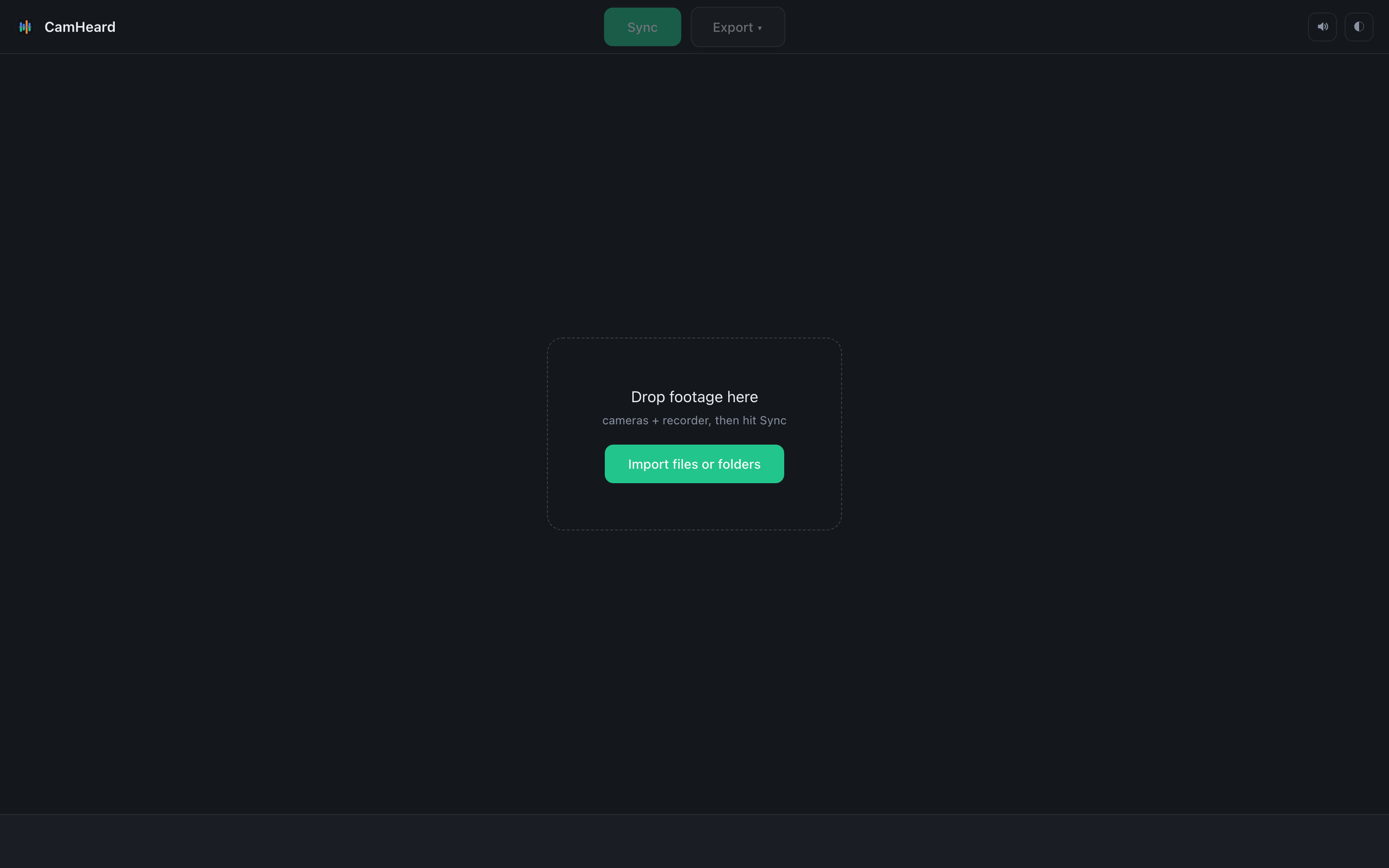
CamHeard does one job: it takes the footage from a shoot where the cameras and the recorder each wrote their own, and puts it all on one timeline the way it actually sounded.
Who it is for
For editors and camera operators with several cameras and separate sound on the desk. Live shows, concerts, location events, a two-camera interview with a lav mic, weddings, reportage. The base case is one camera and a recorder; multicam is only a consequence.
What it does
- Reads camera and recorder files straight from your folders. It copies nothing, transcodes nothing and changes nothing.
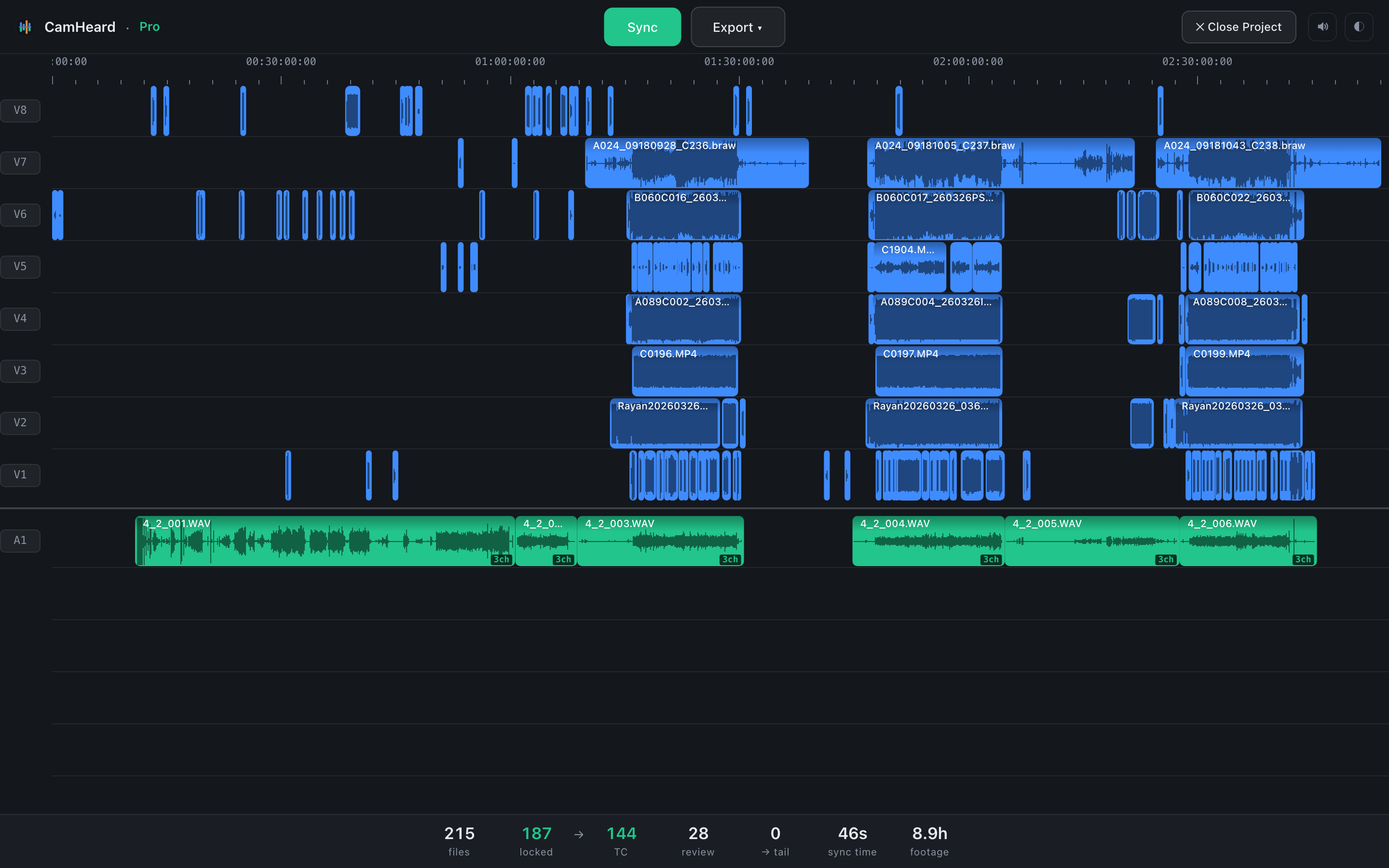
- Syncs by sound. Shared timecode is not needed, and when it is there the sync leans on it too.
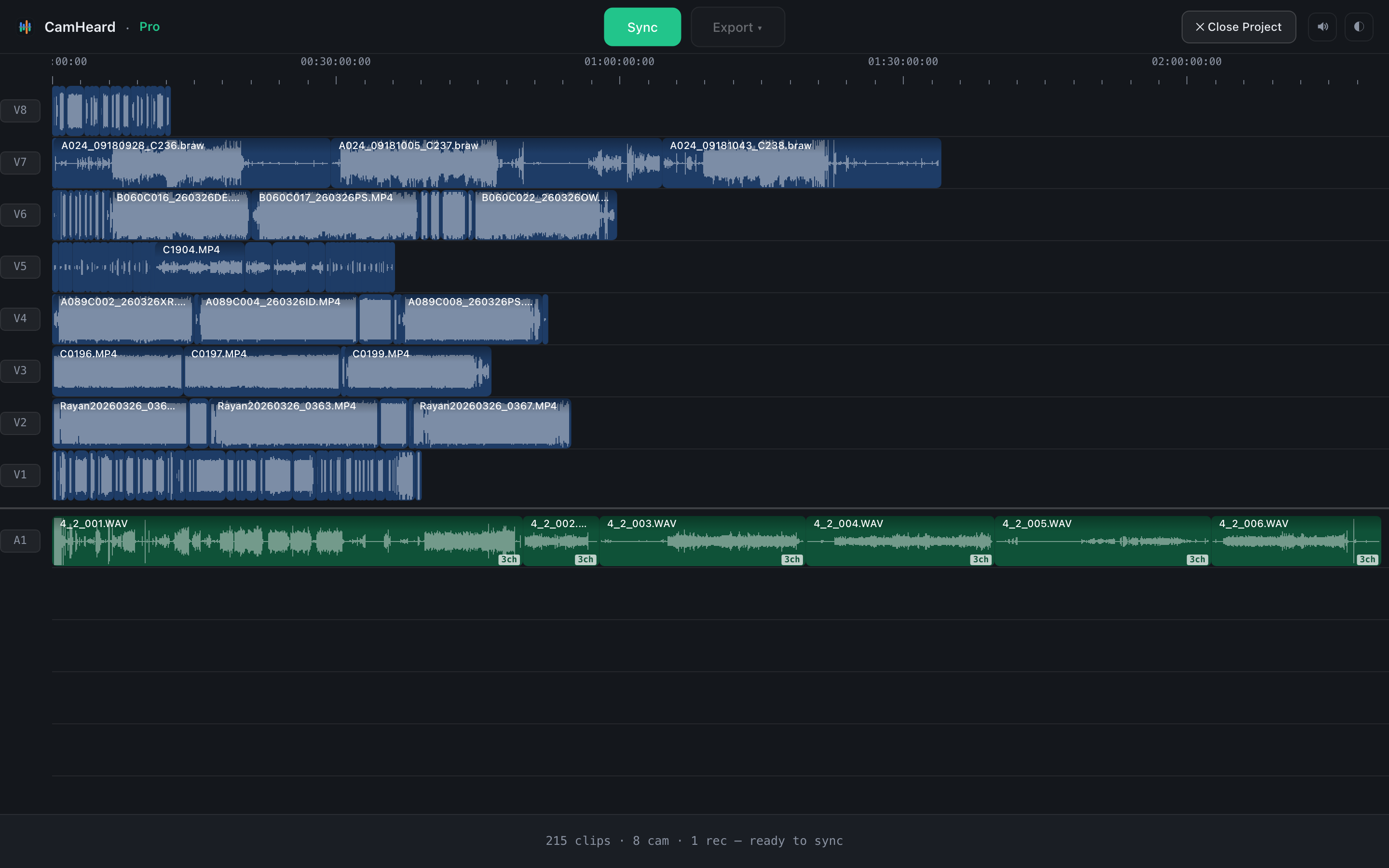
- Lays the result out on tracks: a camera on its own track, the recorder channels separately.
- Shows what is synced exactly, what is worth a look and what had nothing to sync with. As separate numbers, not one overall figure.
- Exports the timeline to a file for Premiere Pro, DaVinci Resolve or Final Cut Pro.
What it does not do
- It does not render video and does not replace the sound inside your files. Everything you see on the timeline lives only in the exported file.
- It needs no account and no cloud, and the sync and the export work without internet. The network is used to check for updates and to renew a subscription key.
- It does not decide for you what to do with material that had nothing to sync with. That material sits at the end of the timeline and waits.
What the work looks like
Common questions
What does CamHeard do?
It syncs video from several cameras and sound from a recorder by sound, and exports a finished timeline to Premiere Pro, DaVinci Resolve or Final Cut Pro. Your files are not changed.
Do the cameras need shared timecode?
No. When timecode is there, the sync leans on it too. When it is not, we sync by sound, and that is exactly what the app was made for.
Does the app change my files?
No. It only reads them. The result lives in the exported timeline file that you open in your editor.
Which systems does CamHeard run on?
macOS 15 and later on Apple Silicon, Windows 10 and 11 (64-bit).