Reading the timeline
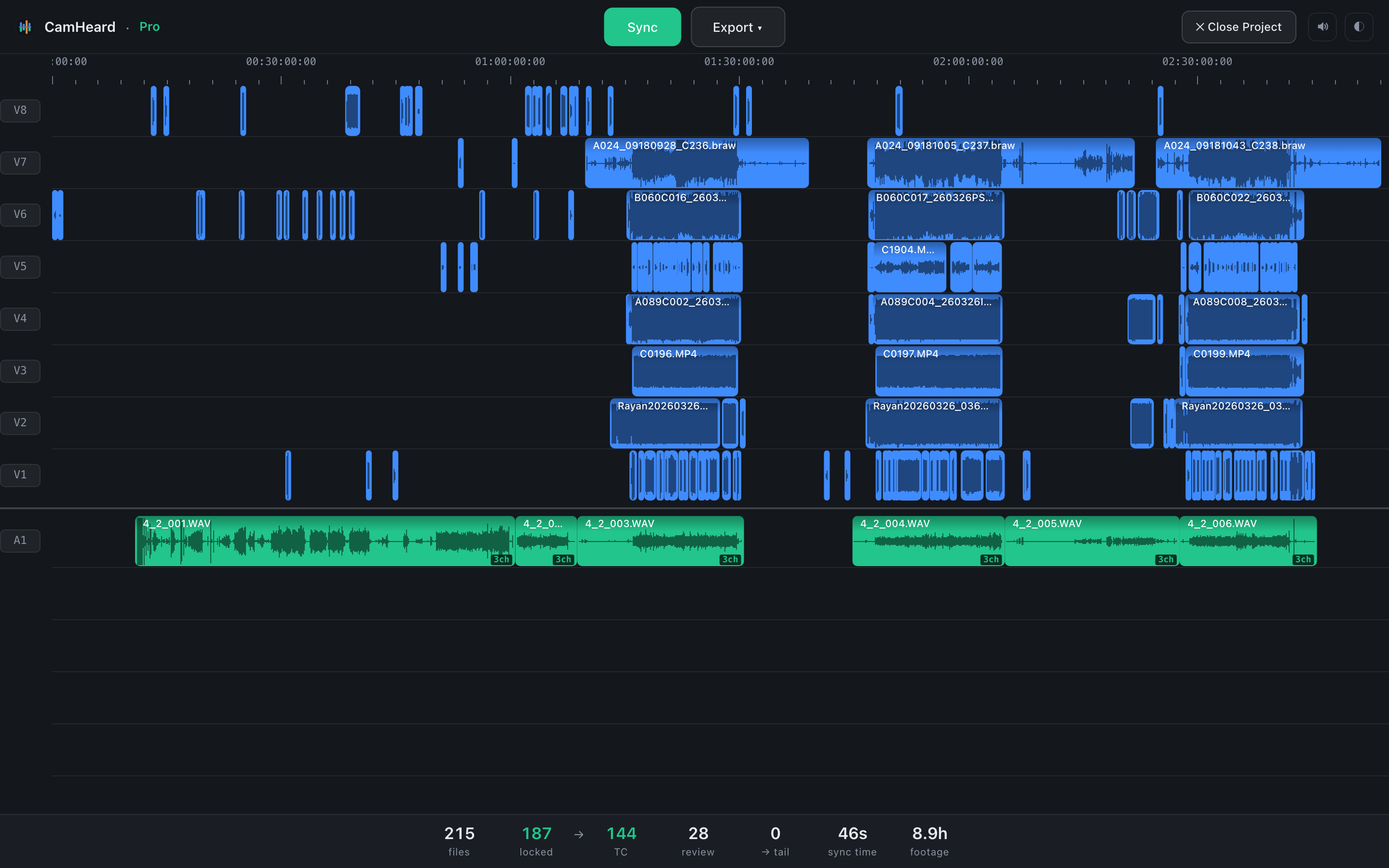
Every camera has its own track, in blue. The recorder sits below in green, one track per channel. What had nothing to sync with lies at the end in gold.
Colours

Marks on clips
| Mark | Where | What it means |
|---|---|---|
| ~ | Top right corner | The clip was placed by the logic of the shoot. The place is not finally confirmed: such clips count as review. |
| A wave on a chip | Top right corner | There was nothing to sync it with. The clip body is gold. This used to be a diamond; since 0.3.74 it is a drawn wave. |
| A dot | Top right corner | The clip is worth a look. It sits on review clips, with or without the ~. |
| TC | Top right corner | The clip was placed by the timecode, not by the sound. The body of a video clip is violet. |
| ⟳ | Before the file name | The clip was rescued by an extra pass: at first there was not enough evidence, then it turned up. |
| 4ch | Bottom right corner | An audio file with four (or more) channels. Hover to see the exact number. |
| L, R, 2, 3… | Bottom left corner | The channel number when Split channels to mono is on. |


The tooltip on a clip
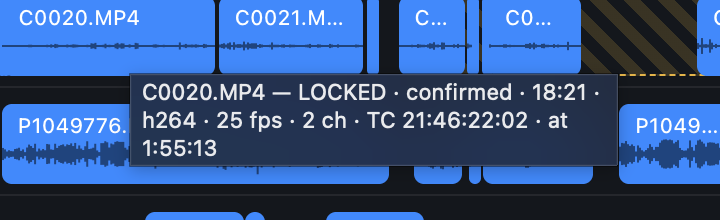
Hover a clip and wait. The tooltip shows the name, the status and the file properties: duration, codec, frame rate, channel count, timecode (if the file carries one) and the position on the timeline.
| The status in the tooltip | What it means |
|---|---|
| LOCKED · confirmed | Synced exactly and confirmed by another device. |
| LOCKED · not confirmed | Synced, but nobody else was rolling at that moment, so there is nothing to confirm it with. |
| REVIEW · only this device was rolling here | Placed by time: only this device was working at that moment. |
| REVIEW · worth a listen | Placed, but worth checking by ear on the timeline in your editor. |
| TAIL · no audio in this file | The file has no audio track. |
| TAIL · this file is silent | There is an audio track, but it holds silence. |
| TAIL · nothing else was rolling at this time | There is sound, but no other device was recording at that time. |
Tracks
The labels V1…Vn and A1…An are on the left. A thin divider separates video from sound. The track order can be changed by dragging, see Track order. That same order goes into the export.
The waveform
Before the sync the waveform on the clips is deliberately pale and blurred: there is no real data yet, and it must not be mistaken for a measurement. After the sync the waveform is real, and a more detailed one loads as you zoom in. See Waveform, zoom and playhead.