Trial, free version and licence
Every download starts with 14 days of the full version. When they run out the app does not disappear: projects up to 20 clips sync and export for free, for as long as you like.
The badge in the top bar
The licence state is always visible in the top left. Since 0.3.82 that label is also a BUTTON: press it any time and a panel opens where you can take a subscription or buy a licence for life. Before that it only worked once the trial had ended.
| Badge | What it means |
|---|---|
| Trial · 9d | The full version, 9 days left. Three days before the end the badge turns reddish. |
| Free · Upgrade | The trial is over. Projects up to 20 clips work in full; larger ones sync but do not export. Click the badge to buy or to enter a key. |
| Pro | The licence is active. Hover the badge to see the edition and the buyer's email. |
| Subscription | A subscription key. If something is wrong with the payment the badge changes to Subscription · action needed and the tooltip explains what exactly. |

What happens on a large project without a licence
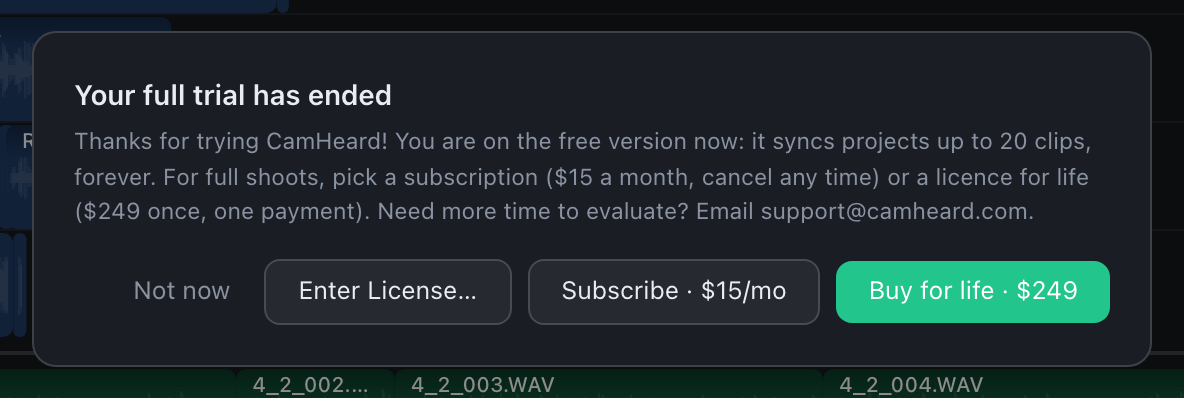
The sync always runs: you see the result on the timeline and the numbers in the status bar are real. Only the export is locked: the button shows Export 🔒, and pressing it opens a panel with an explanation and the Enter License…, Subscribe · $15/mo and Buy for life · $249 buttons.
Activating a key
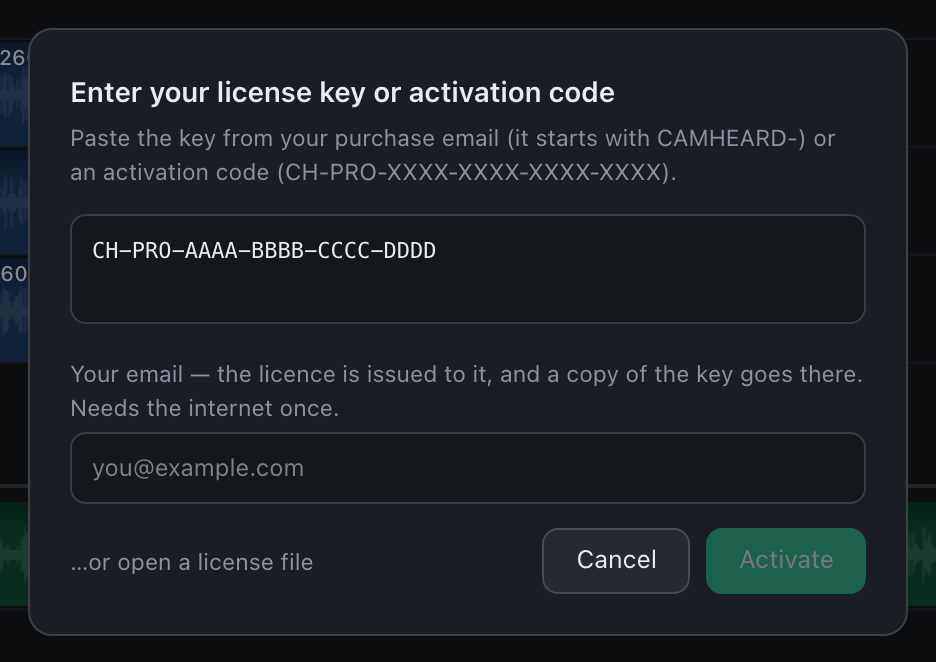
- Open the License menu, then License…. The Enter License… button on the purchase panel opens the same dialog.
- Paste the key from the email you got after the purchase. It starts with
CAMHEARD-. - Press Activate. The export unlocks at once, without syncing again.
Instead of a key you can open a licence file: the …or open a license file link under the field.
Moving the licence to another computer
In the same dialog, at the bottom, there is Remove from this computer. After you confirm, this computer goes back to the free version and the key stays yours: you can activate it here again or on another machine. The sync currently on screen does not disappear, only the export is locked.
Need more time to evaluate? Write to [email protected] and the trial will be extended.